
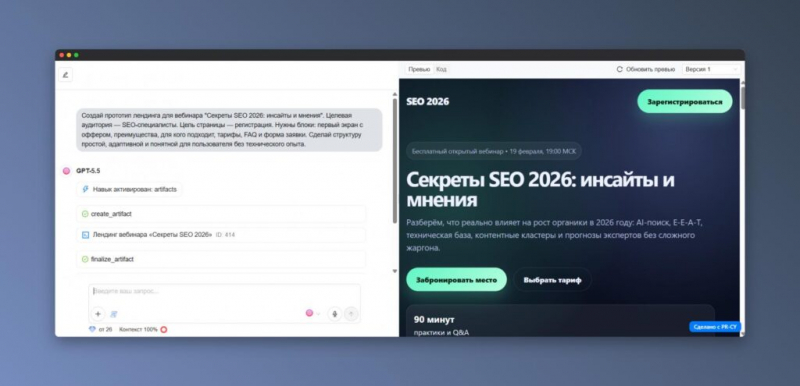

Today, it is not necessary to be able to program to launch a website. It is enough to explain the task to the neural network in your own words, get a draft version of the page, and then consistently improve it in the chat.
However, you should not expect that a complex digital product will be fully ready after one command. Vibecoding works best in stages: we formulate an idea, think over the structure, create a prototype, make changes, test, and only then publish.
This is a convenient way to collect landing pages, portfolios, advertising websites, quizzes, online calculators, and early versions of MVPs. Let’s figure out how this approach works, what stages need to be completed, and which tools deserve attention in 2026.
- What does vibcoding mean
- Step-by-step website creation using AI
- Step 1. Define the project format
- Step 2. Tell us about the audience and the goal
- Step 3. Identify the sections in advance
- Step 4. Describe the appearance and limitations
- Step 5. Get a draft version
- Step 6. Make changes through the dialog
- Step 7. Test the site and launch it
- Five services for creating websites using the vibcoding method
- 1. PR-CY Vibe — easy website launch in Russian
- 2. Lovable is a solution for MVP and functional applications
- 3. Bolt — generation of prototypes, applications and chat sites
- 4. v0 — modern interfaces and publishing via Vercel
- 5. Framer AI — visual websites, landing pages and CMS
- Which tool to choose
- How to create a query for a neural network
- Universal request option
- Request for a service page
- Quiz request
- Pre-launch check
- Frequently asked questions
What does vibcoding mean
Vibecoding refers to the development of websites, applications, and user interfaces in a dialogue format with artificial intelligence. The person describes the desired result, and the system offers structure, design, texts, and program code.
Then the project is adjusted using new commands. For example, you can ask to shorten the main screen, replace the title, add a form, rebuild blocks, or improve the display on smartphones.
This approach differs from the usual website designers in the way they interact. In the classic editor, the user selects the sections themselves, moves the elements and adjusts their appearance. With vibecoding, the task is first formulated, after which the AI independently suggests an implementation option.
It feels like communicating with a designer and developer, only the initial layout is created automatically. The name comes in several variants: “vibecoding”, “vibecoding” and English vibe coding. In all cases, we are talking about one principle — the user determines the direction, and the neural network accelerates the transition from an idea to a working prototype.
At the same time, the final responsibility remains with the person. Before launching, it is necessary to check the content, forms, links, mobile adaptation, meta tags, security, and rules for processing user data.
Step-by-step website creation using AI
In order for the neural network to produce a suitable result, it needs to provide enough context. Specify the type of website, the target audience, the purpose of the page, the necessary sections, visual style and functional requirements.
After generating the first version, the project should be edited, tested on different devices, and published. Depending on the chosen platform, the finished website can be linked, connected to a domain, or exported as a code.
Step 1. Define the project format
Start not with an abstract request like “create a modern, beautiful website”, but with a specific task.
For example: prepare a landing page for an appointment for a consultation, make a presentation of an online course, collect a quiz for choosing a service, or develop a draft interface for a personal account.
The format helps artificial intelligence choose the right architecture. The landing page will need an offer, benefits, confirmations, calls to action, and a form. The quiz needs consistent questions, answers, and a final recommendation. The calculator will need fields, calculation rules, and a result area.
Step 2. Tell us about the audience and purpose
The neural network must understand who visits the page and what action is expected from this a human being.
Audience information influences arguments, communication style, advantages, elements of trust, and button formulations. Without this context, AI often creates text that is too universal. Technically, it may look right, but it won’t contain an accurate offer, convincing benefits, or answers to customers’ real doubts.
Step 3. Mark the sections in advance
It is useful to immediately list the main parts of the future page. The structure may include the main screen, a description of the problem, a proposed solution, advantages, examples of work, tariffs, answers to questions and a form of communication.
If you don’t understand which blocks are needed yet, instruct the neural network to make a plan first. Ask them not to start programming until the structure is approved.
This procedure saves time: first, the logic of the page is adjusted, and only after that — the design, texts and layout.
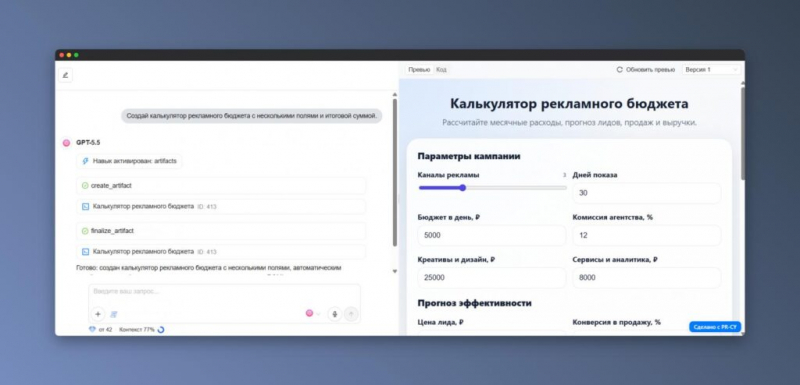
Step 4. Describe the appearance and limitations
Specify the desired visual direction. This can be a restrained B2B style, minimalism, bright advertising, a dark theme, large fonts, or a design with priority for mobile devices.
If necessary, add brand colors, examples of sites you like, and text tone requirements.
Don’t forget about the technical framework. For example, you can ban heavy libraries, ask them to place everything in a single HTML file, require adaptive layout, and exclude made-up reviews. If we are talking about a commercial page, it is also better to prohibit unreasonable guarantees.
Step 5. Get the draft version
The first generation doesn’t have to be perfect. Its main task is to show the overall composition, texts, buttons, visual logic and basic functions.
After seeing the draft, it’s easier to determine what exactly needs to be changed. It is more convenient to move in small steps: coordinate the structure, choose a design, edit the text, customize the form, check the mobile appearance and add SEO data.
Step 6. Make changes through the dialog
One of the main advantages of vibcoding is the ability to edit a project using ordinary phrases.
You can ask to make the top block more compact, add three tariff options, soften the call to action, improve the phone page, or prepare an FAQ section for search promotion.
It is advisable to give tasks sequentially. If one team is required to redesign the design, structure, texts, form, and software, the result will become less manageable.
Step 7. Test the site and launch it
Before posting, check the page on your computer and several mobile screens. Click each button, follow the links, submit a test application, and carefully re-read the content.
Evaluate the download speed, the correctness of the headings, the work of the forms and the availability of the necessary legal documents. If personal data is being collected, the user should see clear consent to their processing.
After testing, the project can be published on the platform, linked to its own domain, or downloaded the source code.
Five services for creating websites using the vibcoding method
1. PR-CY Vibe — easy website launch in Russian
PR-CY Vibe is suitable for those who need to quickly prepare a page without installing an editor themselves, setting up a work environment, and searching for a hosting service.
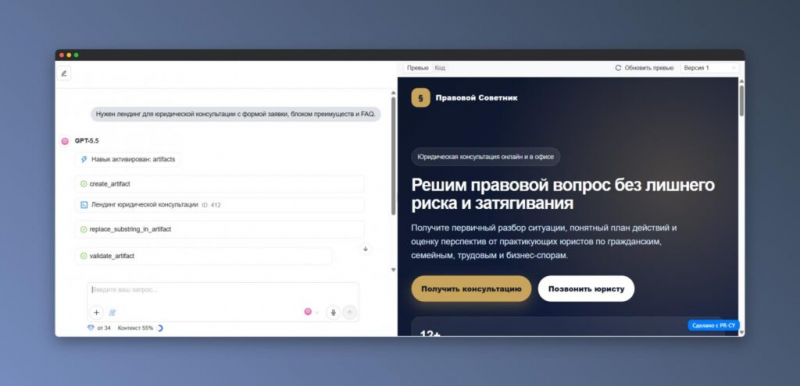
The user talks about his idea in a chat, after which the service creates a website and shows the result next to the correspondence. All subsequent changes can also be described in familiar words.
The tool will be useful for entrepreneurs, marketing and SEO specialists, authors of educational products and representatives of local businesses. You can use it to create an advertising landing page, a separate pricing plan page, a quiz, a calculator, a small presentation, or an interactive report.
If the project does not involve a complex backend, you will be able to get the first working version fairly quickly.
The main advantage of PR-CY Vibe is accessibility for beginners. The user does not need to deal with project assembly and file placement. It is enough to formulate a task, study the preview, request corrections, and then open access via a link or export HTML.
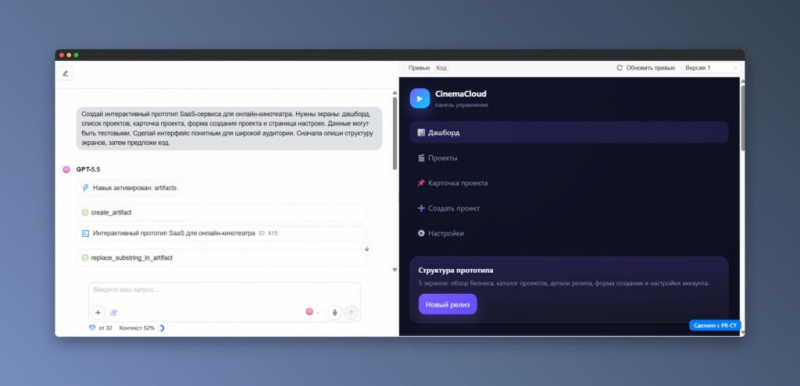
The service should be considered for advertising pages, quick MVPs, appeal collection forms, settlement tools, and individual promotional campaigns. Systems with payments, registration, databases, and different user roles will require more serious design and developer involvement.
2. Lovable is a solution for MVP and functional applications
Lovable is a foreign AI constructor focused not only on web pages, but also on products with more complex logic.
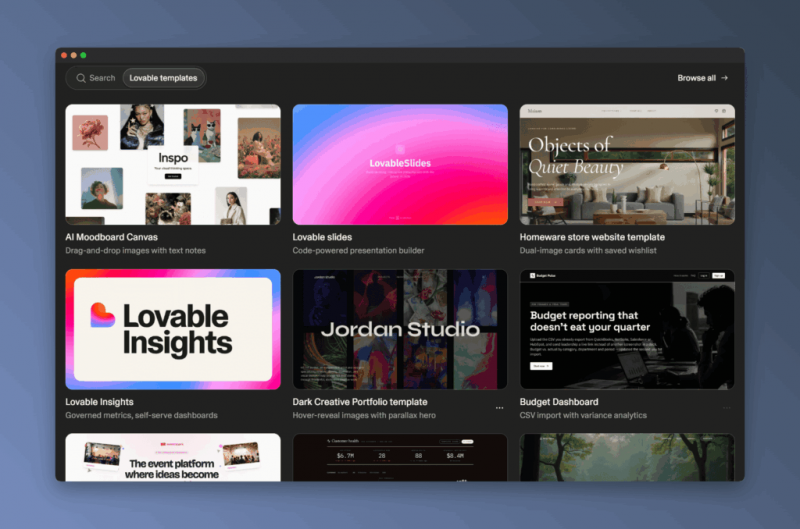
The work begins with a text description of the idea. The service then creates an application or website that can be changed sequentially in the dialog.
The tool is well suited for testing product hypotheses, developing SaaS prototypes and internal corporate solutions. It features a full-fledged full-stack approach: attention is paid to the interface, data, integrations, user scenarios, and infrastructure.
Lovable can be used for a CRM prototype, a booking service, a client dashboard, or an early version of a SaaS product. For a regular one-page website, its capabilities sometimes turn out to be redundant, especially if you need a fully Russian-speaking process that is as understandable as possible for a beginner.
Possible difficulties include the English environment and the relatively high entry threshold. When creating a serious application, it is necessary to separately check the architecture, integration, access control and information protection.
3. Bolt — generation of prototypes, applications and websites in chat
Bolt allows you to switch from a text query to an interface and working functions. It is a handy tool for rapid prototyping when it is important to visualize an idea and test the basic scenarios.
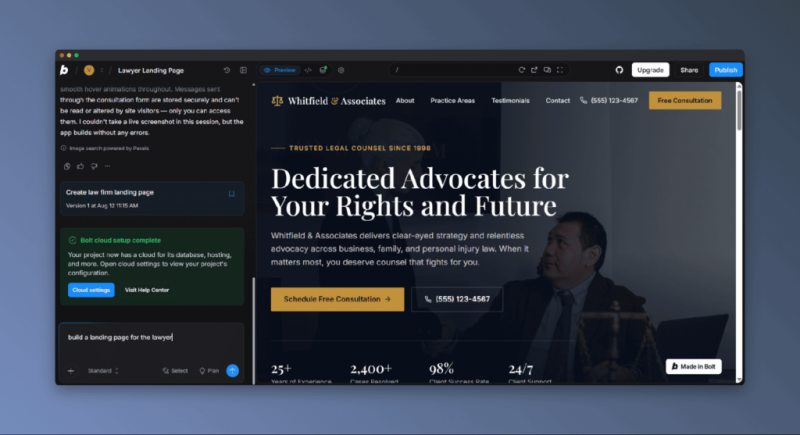
Among its features are working with projects, connecting GitHub, importing materials from Figma, and tools for creating not only static pages, but also applications.
Bolt makes sense to choose for projects with forms, multiple interface states, server functions, and extensive user actions. You can use it to prepare a demo version of a product, an administrative dashboard, an internal service, or a prototype of a personal account.
Entrepreneurs and marketers can use the platform to quickly show a concept to colleagues or performers. It helps developers speed up the initial build.
However, the automatically generated code requires verification. Special attention should be paid to dependencies, error handling, security, and correctness of functions.
4. v0 — modern interfaces and publishing via Vercel
Vercel’s v0 service is designed to create web interfaces and applications with artificial intelligence support. The work scenario can be briefly described as “formulate, assemble, and publish.”
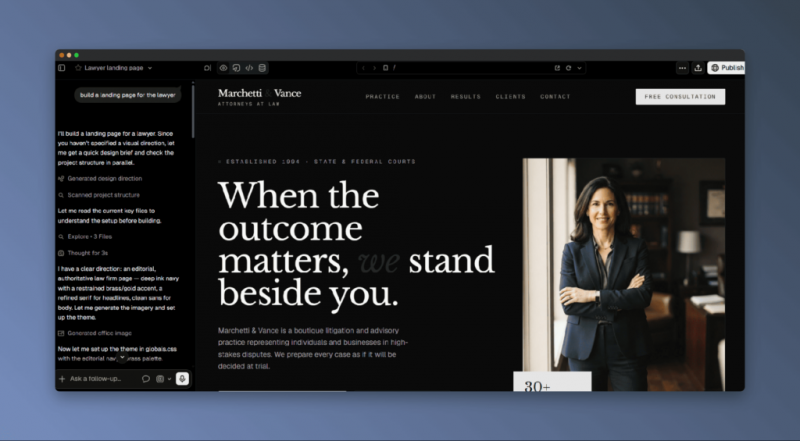
The user sends a request, receives the layout, clarifies the details and, if necessary, places the finished project.
v0 will be especially useful for developers, designers and startup teams who need not only an independent page, but also the basis of a future product. The service offers a preview, templates for components, landing pages, and dashboards, synchronization with GitHub, and deployment on Vercel.
The tool opens up better if the user is at least generally familiar with frontend development. Through queries, you can create pricing pages, SaaS panel interfaces, filters, onboarding screens, and modern landing pages.
To a person without technical experience, v0 may seem more difficult than specialized AI designers. But for projects where access to code, GitHub, and further professional development are important, this is one of the most functional options.
5. Framer AI — visual websites, landing pages and CMS
Framer AI is primarily focused on design. It is suitable for marketing pages, portfolios, promotional websites and other projects in which design plays a leading role.
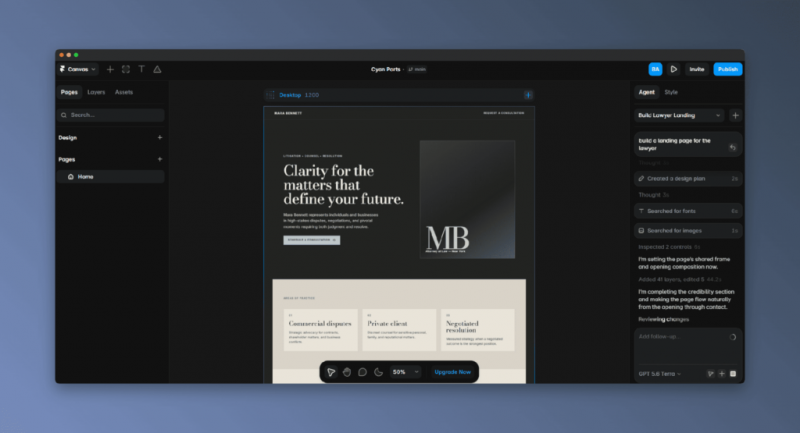
First, the service generates a page based on a text description, after which it can be manually modified in a visual editor. Changes to sections, fonts, components, content, and adaptive settings are available.
It is worth choosing Framer AI if a neat appearance, CMS management of materials, SEO parameters, analytics and convenient publication are important without deep study of programming.
The platform is suitable for designers, marketing teams, personal website authors, and event organizers. It is convenient to create product landing pages and presentation projects on it.
Framer is less focused on atypical programming logic. His strong point is visual development with the support of AI. For services with authorization, databases, server operations, and complex scenarios, it is more reasonable to consider Lovable, Bolt, or v0.
Which tool to choose
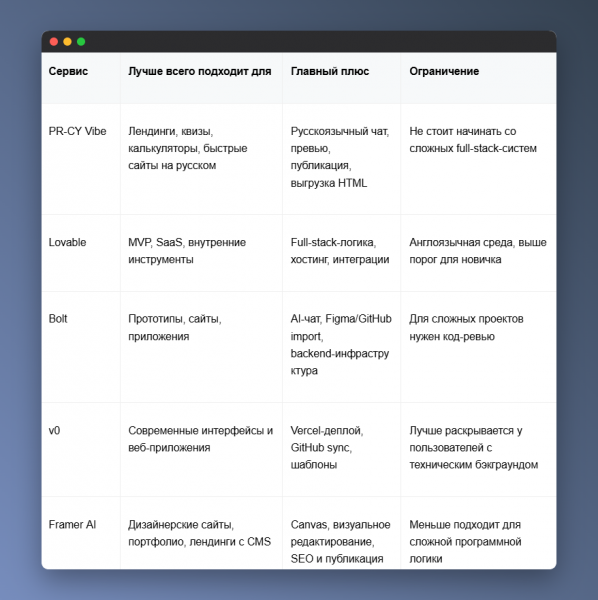
For a quick Russian-language page without complicated setup, you can start with the PR-CY Vibe.
Lovable and Bolt are better suited to tasks related to MVP, internal systems and applications. v0 is useful when the modern frontend, code base and placement on Vercel are in the first place.
Framer AI should be chosen for an effective landing page, portfolio or marketing site, where visual control is especially important.
How to create a query for a neural network
A high-quality prompt reduces the number of subsequent fixes. In the request, it is advisable to immediately specify the type of project, the audience, the expected action of the visitor, the structure, design and technical limitations.
Universal query option
Prepare a landing page for [product or service name].
The target audience is [a description of people and their main problem].
The task of the page is [to receive an application, purchase, record, complete a quiz or download a file].
Provide a home screen with a clear suggestion, a description of the problem and solution, advantages, examples, tariffs, answers to questions and a contact form.
Visual direction — [minimalistic, technological, businesslike, bright or premium].
The text style is [friendly, calm, expert, or concise].
Make adaptive layout and clear calls to action. Do not add non-existent reviews and do not use unnecessary dependencies. First, show the page plan, and proceed to writing the code only after it is approved.
Request for a service page
Develop a landing page for a studio that conducts SEO audits of online stores.
The visitors to the page are store owners and marketing specialists who are faced with a decrease in search traffic, but do not know the reasons for it.
The main task of the website is to receive a request for consultation. Use a clean business style and don’t add aggressive promises.
Turn on the main screen, the signs of possible problems, the composition of the audit, benefits for the customer, the sequence of work, answers to questions and the application form.
Request for a quiz
Create an adaptive quiz that helps you choose the appropriate website format.
Ask the user five questions: what is the project for, what is the available budget, when is the launch required, whether a form is needed, and whether a catalog is required.
After completing the course, show one of the recommendations: landing page, business card, catalog, MVP or online store. The interface should be simple, and the resulting screen should be clear and user—friendly for mobile devices.
Pre-launch verification
Even if the neural network built the site in a few minutes, you should not publish it without manual testing. You should especially carefully check projects that receive paid traffic, accept requests, or process visitor data.
Start with the mobile version. Open the page on different-sized screens and evaluate the menus, buttons, shapes, spacing, and readability.
Then look at the headlines and calls to action. The visitor should immediately understand what is being offered to him and what the next step is expected of him.
Make sure to submit a trial application and click on all interactive elements. Check phone numbers, email, instant messenger links, and external links.
Search engine promotion will require a correct title and description, a single main H1, a logical hierarchy of H2 and H3, and a clear URL.
If the page loads slowly, reduce the number of heavy images, scripts, and other resource-intensive components.
Add the documents and notifications that are necessary specifically for your case: a data processing policy, user consent, and other legal elements.
Never place passwords, private tokens, API keys, or confidential information in open source.
If the site is important for business, after launching, additionally check the indexing, technical errors, speed and meta tags. This will help you find the reasons why the page is poorly ranked or receives few requests.
Frequently asked questions
Which service is better at creating websites using AI?
The choice depends on the task. For a quick start in Russian, you can use the PR-CY Vibe. Lovable, Bolt, and v0 are suitable for application prototypes and MVP. If you need a beautiful marketing website, portfolio, or CMS project, you should pay attention to Framer AI.
Is vibcoding suitable for a person with no experience?
Yes, especially if you start with a small and well-defined task. It’s easier for a beginner to create a service page, landing page, quiz, calculator, or demo prototype first.
You should not choose a complex system that simultaneously includes payments, a database, and personal accounts as your first project. It is important to learn how to consistently formulate queries, evaluate the result, check the mobile version, and give point commands to the neural network.
Is it realistic to create an online store through a neural network?
With the help of AI, you can quickly assemble a showcase of goods or a demo prototype of a store. However, a full-fledged commercial project will require setting up orders, payments, user accounts, integrations, and secure storage of information.
Such a system must be designed and thoroughly tested. If the site accepts payments or personal data, it is advisable to involve a specialized specialist before launching.
What is the difference between vibecoding and Tilda, Wix or Webflow?
In traditional construction kits, a person selects ready-made sections on their own and manually adjusts each element. With vibecoding, the task is described in words, and the neural network offers structure, interface, and code.
The AI approach gives more freedom and speeds up prototyping, but requires careful verification. Regular designers often provide a predictable process, while vibecoding is more convenient for quick implementation of ideas.
Is it necessary to understand HTML, CSS and JavaScript?
Basic programming knowledge is not needed for a simple landing page. The neural network is able to independently prepare the first version and make most of the changes using text commands.
Nevertheless, understanding HTML, CSS, and JavaScript helps you more accurately describe requirements, spot errors, and control quality. If the prototype is planned to be turned into a full-fledged application, technical expertise or developer involvement will significantly reduce the possible risks.